

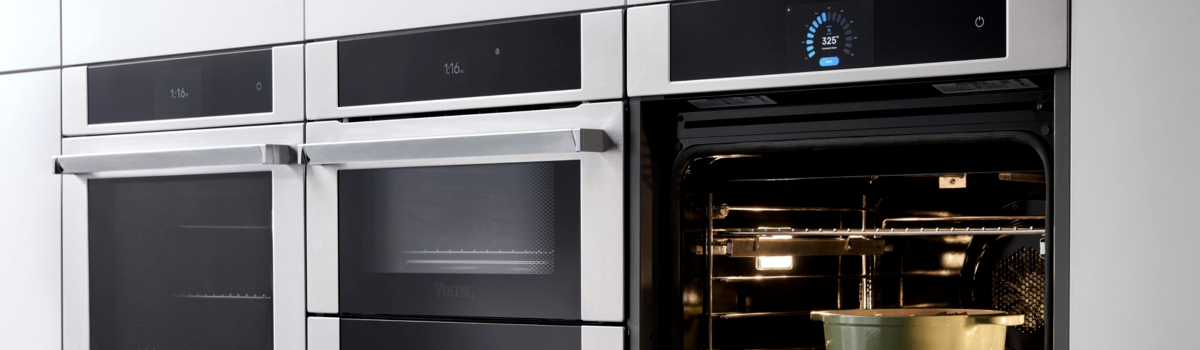
Self-clean is a convenient feature—until it isn’t. If your Viking oven won’t start a clean cycle, stops halfway, locks the door, or refuses to heat afterward, you’re not alone. This guide explains the most common self-clean issues, why they happen, how to safely troubleshoot them at home, and how to prevent repeat headaches. The tips are written in clear, everyday language, with simple steps you can actually follow.
Quick note on safety: Always disconnect power at the breaker and let the oven cool completely before removing panels or touching wiring. If you smell gas, see scorched wiring, or find heavy charring, stop and contact a professional.
How Viking Self-Clean Works (and Why It Sometimes Fails)
During self-clean, the oven locks the door and heats to very high temperatures to burn off residue. That extreme heat stresses components like door-lock switches, thermostats/thermal fuses, temperature sensors, wiring, and igniters or elements. A minor part that was “almost failing” can be pushed over the edge by a clean cycle.
Before You Start: 60-Second Reset & Basics
- Verify the breaker is ON (240 V for electric ranges) and there’s gas supply for gas models.
- Do a power reset: turn the breaker OFF for 2 minutes, then back ON to clear control glitches.
- Remove racks and foil, and make sure nothing is blocking the door latch.
1) Self-Clean Won’t Start
What you see: You press Clean, but nothing happens or the control beeps and cancels.
Why it happens (plain English): The control checks two things first—door lock engagement and temperature sensor sanity. If the door-latch switch isn’t confirming “closed,” or the temp sensor is reading nonsense, the clean cycle won’t begin.
DIY steps that help:
- Gently close the door and press near the top-center to help the latch engage; try Clean again.
- Check the door gasket for debris or bent spots that stop a tight seal; clean or re-seat it.
- If you recently cooked at high temp, wait until the oven is room-temperature; some models block clean while warm.
- Power-cycle the oven at the breaker to clear control logic.
Prevent it next time: Wipe heavy spills manually so you don’t need frequent self-clean cycles. Excessive use accelerates latch and switch wear.
2) Door Locks… and Won’t Unlock After Self-Clean
What you see: The cycle ends, but the door stays locked even when cool.
Why it happens: Heat-soaked latches and sticky microswitches can stick closed. If the oven still “thinks” it’s above the unlock temperature, the control will keep the lock engaged.
DIY steps that help:
- Let it cool completely—at least 60–90 minutes after the cycle finishes.
- Try a control reset at the breaker. After restoring power, wait 1–2 minutes and test the door.
- Start a short Bake at ~200–250°F for 2–3 minutes, then cancel. As it cools, the latch sensor can re-index and unlock.
Prevent it next time: Avoid running self-clean back-to-back. High heat cycles one after another keep the latch in a heat-stressed zone.
3) Oven Won’t Heat After a Clean Cycle
What you see: Bake or Broil doesn’t start; gas models don’t ignite; electric models don’t glow.
Why it happens: High heat can trip a thermal fuse/high-limit or weaken an igniter (gas) / bake element (electric). A temperature sensor that drifted out of spec will also block normal heat.
DIY steps that help (no special tools):
- Breaker reset first.
- For gas models: look for the igniter glow when calling for Bake; weak orange glow with no flame usually means the igniter is tired.
- For electric models: peek at the bake element; obvious blisters or breaks = replacement.
- If available in your model, run a control calibration or reset per the user manual.
Prevent it next time: Use Steam Clean or manual cleaning for day-to-day care; save high-heat self-clean for heavy jobs only a few times per year.
4) Self-Clean Starts, Then Stops Mid-Cycle
What you see: It begins, gets hot, then cancels and cools with an error or no message at all.
Why it happens: Venting blocked by foil or debris, a failing cooling fan, or a high-limit thermostat opening from excessive cabinet heat will shut the cycle down to protect components.
DIY steps that help:
- Remove any foil on the oven floor or racks; foil traps heat and confuses sensors.
- Clear rear/side vents and ensure the unit has normal cabinet airflow.
- Try again after a full cool-down and a breaker reset.
Prevent it next time: Don’t line the oven bottom with foil, and keep the area around the range clear so the cooling fan can do its job.
5) Heavy Smoke or Burning Smell During Clean
What you see: Billowing smoke, sharp odor, maybe a haze in the kitchen.
Why it happens: Grease pools, sugary spills, and oven-liner residue burn off rapidly at self-clean temperatures.
DIY steps that help:
- Press Cancel, open windows, and run exhaust.
- After it cools, wipe out the cavity with warm water and a little dish soap; remove the big stuff.
- On the next go, choose the shortest self-clean duration.
Prevent it next time: Spot-clean after major spills. The less baked-on residue, the less smoke the next time.
6) Uneven Cooking After Self-Clean
What you see: Hot spots, pale bottoms, or inconsistent browning.
Why it happens: Heat can nudge temperature calibration or expose a weak bake/broil element or a fan that’s not moving air evenly.
DIY steps that help:
- Run a quick preheat to 350°F and watch: the bake element (electric) should glow evenly; the convection fan should spin smoothly without noise.
- If your control supports it, perform a temperature calibration (± up to about 35°F).
- Try a simple oven thermometer to verify actual vs set temp and adjust recipes temporarily.
Prevent it next time: Don’t overload the oven with foil or oversized pans that block airflow, and allow full preheat.
7) Control Panel Errors After Clean (No Specific Code Needed)
What you see: Beeps, flashing messages, or unresponsive keys.
Why it happens: Heat soak can cause temporary logic faults or push a borderline touch keypad over the edge.
DIY steps that help:
- Turn the breaker OFF 2 minutes, then ON.
- If keys are unresponsive, let the oven sit powered off until it’s fully cool and try again.
- If only one or two keys fail, the keypad/ribbon may need attention.
Prevent it next time: Avoid the longest, highest-soil clean option unless truly necessary.
8) Gas Models: Igniter Clicks but No Flame During/After Clean
What you see: Rapid clicking, but no ignition.
Why it happens: The burner cap may be mis-seated after cleaning, or moisture/cleaner residue is interfering with the spark path.
DIY steps that help:
- Ensure the burner cap is centered and stable—no wobble.
- Dry the burner head and cap thoroughly; moisture blocks spark.
- Clean out ports with a soft brush or wooden toothpick (no metal).
Prevent it next time: When wiping the cooktop, avoid saturating igniters; a slightly damp cloth is enough.
Simple Maintenance That Extends Viking Oven Life
A few habits drastically cut down on self-clean-related failures.
- Blot spills early. When sugars or fats spill, dab them up after the oven cools.
- Use steam or low-temp cleans for routine care; reserve self-clean for deep cleans.
- Keep vents clear and avoid foil liners.
- Check the door gasket every few months; a good seal protects temperature stability and the latch.
- Give it time to cool after any high-heat cycle before starting another.
When to Stop and Call a Pro
Self-clean cycles run near the upper limits of what oven parts endure. If you notice tripped breakers that won’t reset, a persistent burning smell with the oven off, visible wire damage, or gas odor at any point, discontinue use and get professional service.
Quick Reference: Symptom → First Things to Try
- Clean won’t start: Confirm door fully shut, cool interior, breaker reset.
- Locked door after clean: Full cool-down, breaker reset, brief 200–250°F bake then cancel.
- No heat after clean: Look for weak igniter glow (gas) or damaged element (electric); try control calibration.
- Stops mid-clean: Remove foil, improve ventilation, allow complete cool-down before retry.
- Heavy smoke: Cancel, ventilate, wipe residue, use shorter clean next time.
FAQ
Is self-clean safe to use regularly?
It’s safe as designed, but frequent use accelerates wear on latches, sensors, and wiring. Use it sparingly.
Can self-clean ruin my oven racks?
High heat can discolor and reduce the glide of racks. Remove them before self-clean and re-lubricate guides with a tiny amount of food-safe oil if your manual allows.
Why does the door have to lock?
Self-clean temperatures are far above normal baking levels; the lock is a safety requirement to prevent opening while the interior is extremely hot.
Will a control reset really help?
Yes—many latch and sensor faults are logic-state issues after heat soak. A proper power reset often restores normal operation.
Leave a Reply