

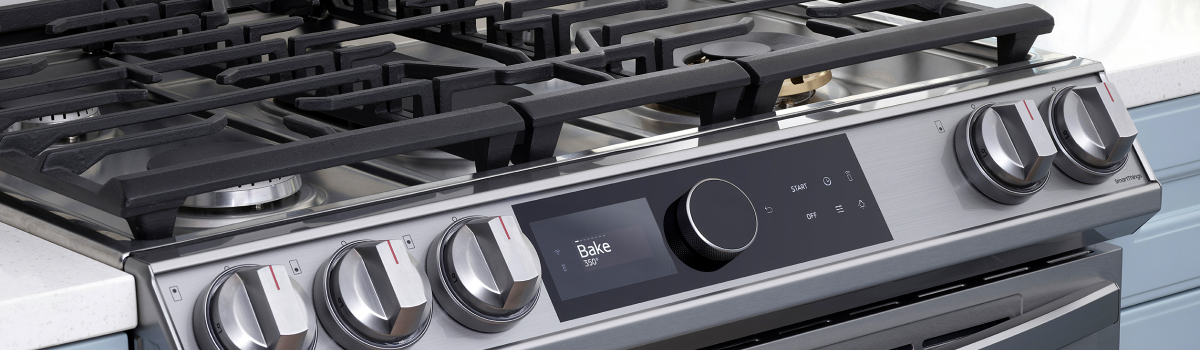
If your Samsung range is acting up, you’re not alone. Modern ranges pack a lot of tech into a hot, cramped space—igniters, sensors, fans, control boards, and safety switches all working together. The good news: many problems are simple to understand and some can be safely handled at home. This guide walks through the most common Samsung range issues, what they mean, why they happen, how to try a DIY fix, and how to prevent repeat failures. It’s written in clear, everyday American English and organized so you can skim or read end-to-end.
Quick safety note: Always unplug an electric range or shut off gas and power to a gas range before removing panels. If you smell gas continuously, stop and call your gas provider or local emergency services.
How to Use This Guide
Start with the symptom that looks most like yours. For each issue you’ll find:
- What the problem looks or sounds like
- The most likely causes
- A safe DIY checklist
- Simple prevention habits
1) Gas Burners Won’t Ignite (or Keep Clicking)
A common headache on gas models: you hear rapid clicking but no flame—or the burner lights only after multiple tries.
Why it happens (most common causes)
- Moisture or food debris on the igniter tip
- Clogged burner cap/ports or misaligned cap
- Weak spark due to a dirty electrode or loose wire at the spark module
- Knob or valve not fully engaged
DIY fix you can try
- Remove the grate and burner cap. Dry any visible moisture with a paper towel.
- Use a soft brush or toothpick to clear the tiny burner ports—don’t enlarge holes.
- Gently clean the igniter tip (the small ceramic rod) with a dry cotton swab. Avoid alcohol or water.
- Reseat the burner cap so it’s flush and centered.
- Try again. If still clicking, pull the knob, verify the shaft turns smoothly, and make sure the knob is not cracked and slipping.
Prevention
After boilovers, let the burner cool and dry the area. Keep caps aligned and ports clear during weekly wipe-downs.
2) Electric Elements Not Heating
On smooth-top models, a surface element may stay cold, only glow partially, or cycle off too fast.
Likely causes
- Faulty surface element or damaged element ribbon under the glass
- Failed infinite switch (the control behind the knob)
- Loose connection in the harness
DIY fix
- Power off at the breaker. When fully cool, lift or remove the cooktop per your manual.
- Inspect the element for visible breaks or hot spots. Check connectors are tight.
- If one element stays dead while others work, the element or its switch is suspect. Both are replaceable with basic tools.
Prevention
Use flat-bottom pans, avoid oversized cookware on small elements, and don’t drag pots across the glass.
3) Oven Won’t Reach Temperature / Bakes Too Slow
Cookies pale? Roasts underdone? The oven may be running cool versus the setpoint.
Why it happens
- Failing temperature sensor (thermistor) sending incorrect readings
- Dirty or weak igniter (gas) causing lazy flame and low heat
- Worn bake element (electric) with hidden breaks
- Calibration drift in the control
DIY fix (start simple)
- Place an oven thermometer mid-rack. Preheat to 350°F and wait 15 more minutes after the beep. Compare reading.
- For gas: look through the broiler or oven window—flame should be strong and even. A slow-to-glow igniter often needs replacement.
- For electric: inspect the bake element for blisters or cracks.
- Most Samsung ovens allow user calibration (offset) in settings. If consistently off by ~25°F, apply an offset. If off by more, diagnose the sensor or heating components.
Prevention
Give the oven a full preheat, keep the door closed, and clean heavy grease from the bottom panel to avoid hot/cold spots.
4) Oven Heats But Temperature Swings Wildly
Food burns around the edges or browns unevenly, then undercooks in the center.
Likely causes
- Convection fan not running or obstructed
- Sensor partially coated in residue
- Rack placement too high/low for the recipe
DIY fix
- With power off, spin the convection fan by hand to feel for binding. Clear foil bits or baked-on debris.
- Wipe the visible portion of the temp sensor with a soft cloth when cool.
- Bake on the middle rack for most foods; use convection when recipes call for it.
Prevention
Avoid covering the entire rack or oven floor with foil (it blocks airflow). Don’t overload a single rack.
5) Igniter Glows But No Flame (Gas Oven)
You see the glow through the bottom panel, but there’s no ignition.
Why it happens
- Igniter is glowing but weak—it doesn’t draw enough current to open the gas safety valve
- Wiring to the valve/igniter is loose
DIY fix
- If preheat takes forever or never lights, the igniter is the prime suspect. Replacing it typically restores normal ignition.
- Confirm connectors are snug when installing the new part.
Prevention
Keep the oven cavity reasonably clean; heavy grease can shorten igniter life.
6) Control Panel Unresponsive or Randomly Beeping
Touch keys don’t respond, or you get phantom beeps.
Likely causes
- Control lock (child lock) enabled
- Moisture on the touch membrane
- Ribbon cable partially seated
- Failing UI board
DIY fix
- Check the manual for “Control Lock” and toggle it off.
- Wipe the panel dry. Cycle power at the breaker for 60 seconds.
- If problems return, re-seating the ribbon cable (panel removal) often helps. Replace the UI board if necessary.
Prevention
Avoid spraying cleaner directly on the panel—apply to a cloth first. Keep steam from pots away from the touch area when possible.
7) Self-Clean Shuts Down or Won’t Start
Self-clean is tough on any oven.
Why it happens
- Door lock switch not confirming closed/locked
- Over-temperature cutout trips
- Control prevents self-clean when certain faults are present
DIY fix
- If the cycle aborted, let the oven cool fully. Cycle power.
- Verify the door latch moves freely and the switch “clicks.”
- Consider a manual clean with warm water, mild degreaser, and a scraper instead of frequent self-clean cycles.
Prevention
Use self-clean sparingly and remove racks first to avoid discoloration and warping.
8) Oven Error Codes (Common Examples)
Samsung ranges display codes like SE, E-O, C-xx, or tC depending on model.
What to do first
- Power-cycle at the breaker for one minute. Many nuisance codes clear.
- Note the exact code, then check your model’s manual. Codes often map to sensor faults, stuck keys, over-temp, or comms errors.
DIY fix (general)
- For sensor-type codes, inspect and reseat the temperature sensor connector.
- For stuck-key codes, wipe the panel dry and check the ribbon cable.
Prevention
Keep the panel clean and dry; avoid splashes. Periodically check connectors when you do deeper cleanings.
9) Oven Door Won’t Close or Lock
A door that won’t seal leads to heat loss and poor baking.
Likely causes
- Bent or fatigued hinges
- Gasket torn or flattened
- Latch misaligned after a self-clean
DIY fix
- Inspect hinges for play. Replacing hinge pairs is the correct repair when doors don’t spring closed.
- Check and replace a damaged gasket—it’s usually a straightforward swap.
- If the latch sticks, clean and lightly lubricate the mechanism (use high-temp-safe products).
Prevention
Don’t lean on the door when hot; avoid heavy trays resting on the open door.
10) Range Trips the Breaker or Won’t Power On (Electric)
Nothing lights up, or the breaker pops during preheat.
Likely causes
- Shorted bake/broil element touching chassis
- Damaged cord or terminal block
- Loose neutral or ground
DIY fix
- Disconnect power, pull the range forward, and inspect the rear terminal block for overheated wiring. Tighten/replace as needed.
- Look for visible element damage. Replace shorted elements and keep wires routed away from metal edges.
Prevention
Re-check terminal screws a few weeks after installation; heat cycles can loosen them.
11) Gas Smell or Sooty Flame (Gas Models)
Blue is the target flame color. Yellow tips and soot mean poor combustion.
Likely causes
- Misaligned burner cap or blocked ports
- Low air mix at the shutter
- Wrong orifice for LP/natural gas after a conversion
DIY fix
- Reseat caps and clear ports.
- If comfortable, adjust the air shutter to get a crisp blue flame with minimal yellow.
- After any fuel-type conversion, verify orifice sizing per the kit.
Prevention
Keep cookware from boiling over onto burners, and schedule a professional check after a move or conversion.
12) Convection Fan Noise or No Spin
A loud hum, rattle, or no airflow during convection bake.
Likely causes
- Fan blade hitting foil, crumbs, or a warped cover
- Worn motor bearings
DIY fix
- With power off, remove the rear oven panel and clear debris.
- If the blade wobbles or the motor feels gritty, replace the fan motor assembly.
Prevention
Avoid foil sheets against the back panel and keep crumbs out of the fan cover.
13) Broil Works, Bake Doesn’t (Electric)
The oven browns with broil but can’t bake.
Why it happens
- Failed bake element while broil still heats
- Relay on the control board stuck or open
DIY fix
- Inspect and replace the bake element first—it’s the most common and simplest fix.
- If a new element doesn’t heat, the control board or wiring needs attention.
Prevention
Keep the element area free of pooled grease; heavy splatters can create hot spots.
14) Glass Cooktop Scratches or Cracks
Cosmetic damage is common; cracks require action.
What to know
- Scratches won’t affect function but are permanent.
- A crack that goes through the glass is unsafe—replace the top before further use.
DIY fix
- For appearance, use a manufacturer-approved cleaner to reduce haze.
- Replace a cracked top; do not operate with structural damage.
Prevention
Lift—don’t slide—cookware. Use flat, smooth-bottom pans and keep sugar spills off hot glass (caramel can etch).
15) Slow Preheat
The oven takes too long to reach setpoint.
Likely causes
- Door opened repeatedly during preheat
- Hidden “rapid preheat” not enabled on models that support it
- Weak element (electric) or lazy igniter (gas)
DIY fix
- Start with an empty oven and keep the door shut until preheat completes.
- Check for a rapid-preheat or convection-preheat option in settings.
- If still slow, test elements or the igniter as in earlier sections.
Prevention
Use convection preheat when available and avoid heavy stoneware during preheat unless the recipe calls for it.
16) Wi-Fi / SmartThings Issues (Models with Connectivity)
The app can’t see your range, or remote control is disabled.
Likely causes
- 5 GHz–only routers (many ranges need 2.4 GHz)
- Network isolation settings
- Control lock or “remote disable” toggled on
DIY fix
- Connect the range to a 2.4 GHz network and keep it within a reasonable distance.
- Re-add the appliance in the app and follow pairing prompts.
- Ensure “Remote Start” or equivalent setting is enabled on the panel.
Prevention
Keep firmware updated through the app and avoid changing SSIDs/passwords without re-pairing the appliance.
Maintenance That Prevents Most Problems
A little routine care goes a long way:
- Wipe spills after each use; don’t let sauces bake onto burners or elements.
- Clean burner caps/ports monthly and keep igniters dry.
- Vacuum crumbs behind/beneath the range twice a year to protect wiring and airflow.
- Inspect door gaskets for tears; replace if the door no longer seals.
- Run a light, manual oven clean regularly and save self-clean for rare deep cleans.
- Verify cookware: flat bottoms for smooth-tops, proper sizes for burners.
Quick DIY Toolkit (Helpful, Not Fancy)
A few basics cover most checks:
- #2 Phillips screwdriver, nut driver set
- Multimeter (for continuity checks)
- Non-marring scraper and microfiber cloths
- Cotton swabs, soft brush, toothpicks for burner ports
- Work gloves and a flashlight
FAQs
Is it safe to remove the oven’s back panel?
Yes—with power off. Many checks (fan, sensor connections) require panel removal. If you’re unsure, stop and consult a pro.
My gas igniter glows but won’t light the oven—should I replace the valve too?
Usually the igniter is the weak link. Replace the igniter first; the valve rarely fails compared to igniters.
Can I calibrate the oven temperature myself?
Most Samsung ovens allow a temperature offset in settings. Confirm with an oven thermometer before adjusting.
Do error codes always mean a bad board?
Not necessarily. Many codes come from loose connectors or moisture on the touch panel. Power-cycle and check connections first.
Final Word
Samsung ranges are reliable when kept clean, dry, and properly ventilated. Most “no-ignite,” “won’t reach temp,” and “panel quirks” are straightforward once you know where to look. Use the steps above to quickly isolate the cause, tackle the safe DIY fixes, and build habits that prevent the problem from coming back.
If a repair requires gas line work, sealed system work, or you’re uncomfortable with electrical diagnostics, it’s smart to bring in a qualified technician. For everything else, this guide should help you get back to cooking—without the headaches.
Leave a Reply